Zack
Scheduling classes and tracking attendance
An internal Jalasoft tool for scheduling recurring classes and meetings across the Fullstack Bootcamps, and turning who showed up into reports the coordination team could actually use.
Many bootcamps, many classes, no clear picture of who attended
Jalasoft runs Fullstack Bootcamps in Colombia, Brazil, Bolivia and Mexico. Every cohort has classes and meetings that repeat for months, with hundreds of participants. The coordination team needed one place to schedule all of it and to know, at the end, who had been there.
Scattered schedules
Classes and meetings for different countries, semesters and tracks lived in different places, with no shared structure.
Recurrence at scale
A single class could repeat three times a week for a whole semester, across time zones, with 999+ attendees to invite.
Attendance without reports
Knowing who attended a session meant manual work. There was no quick way to pull attendance for a period, a class or a person.
Folders that mirror how the bootcamps are run
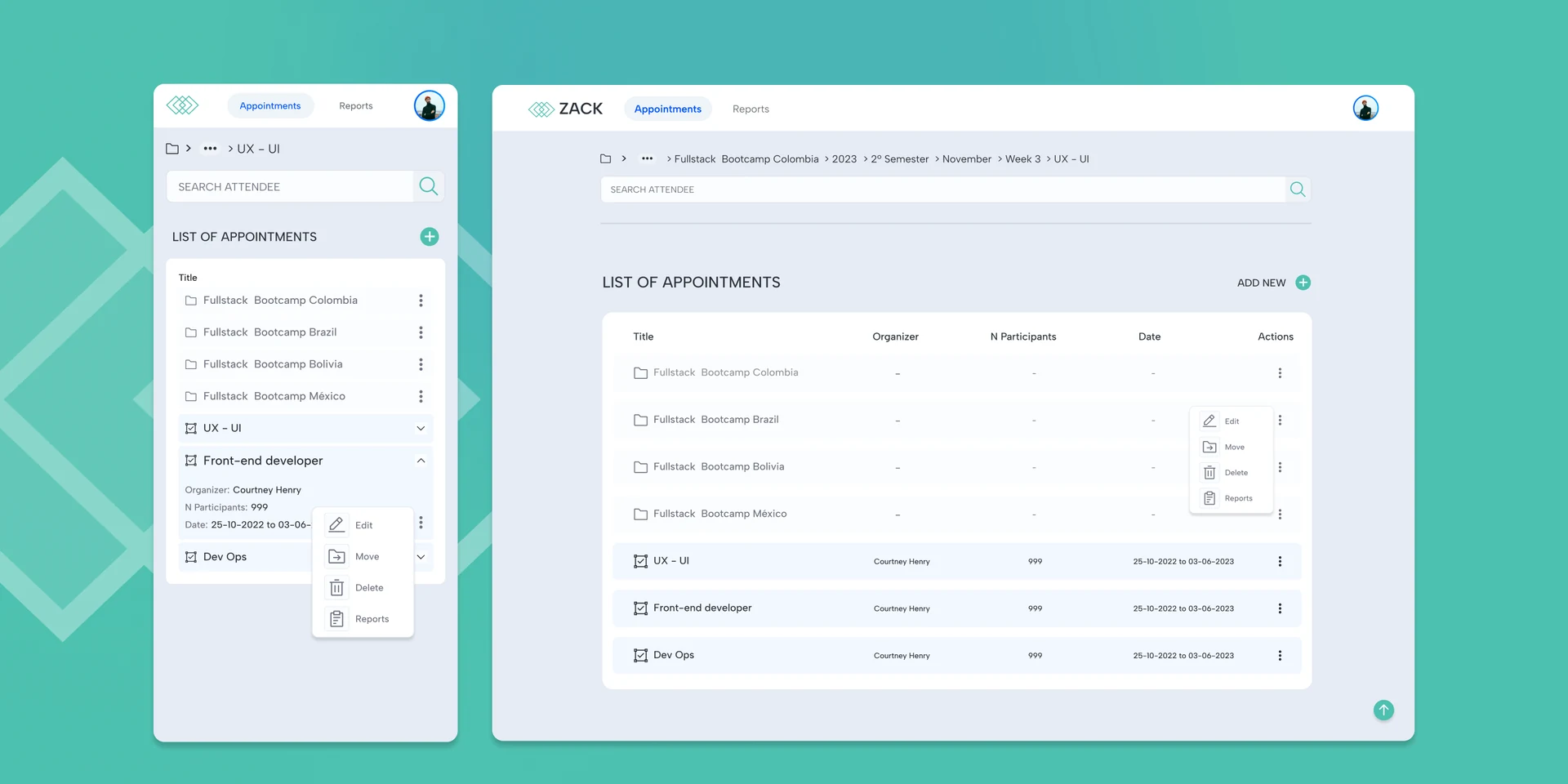
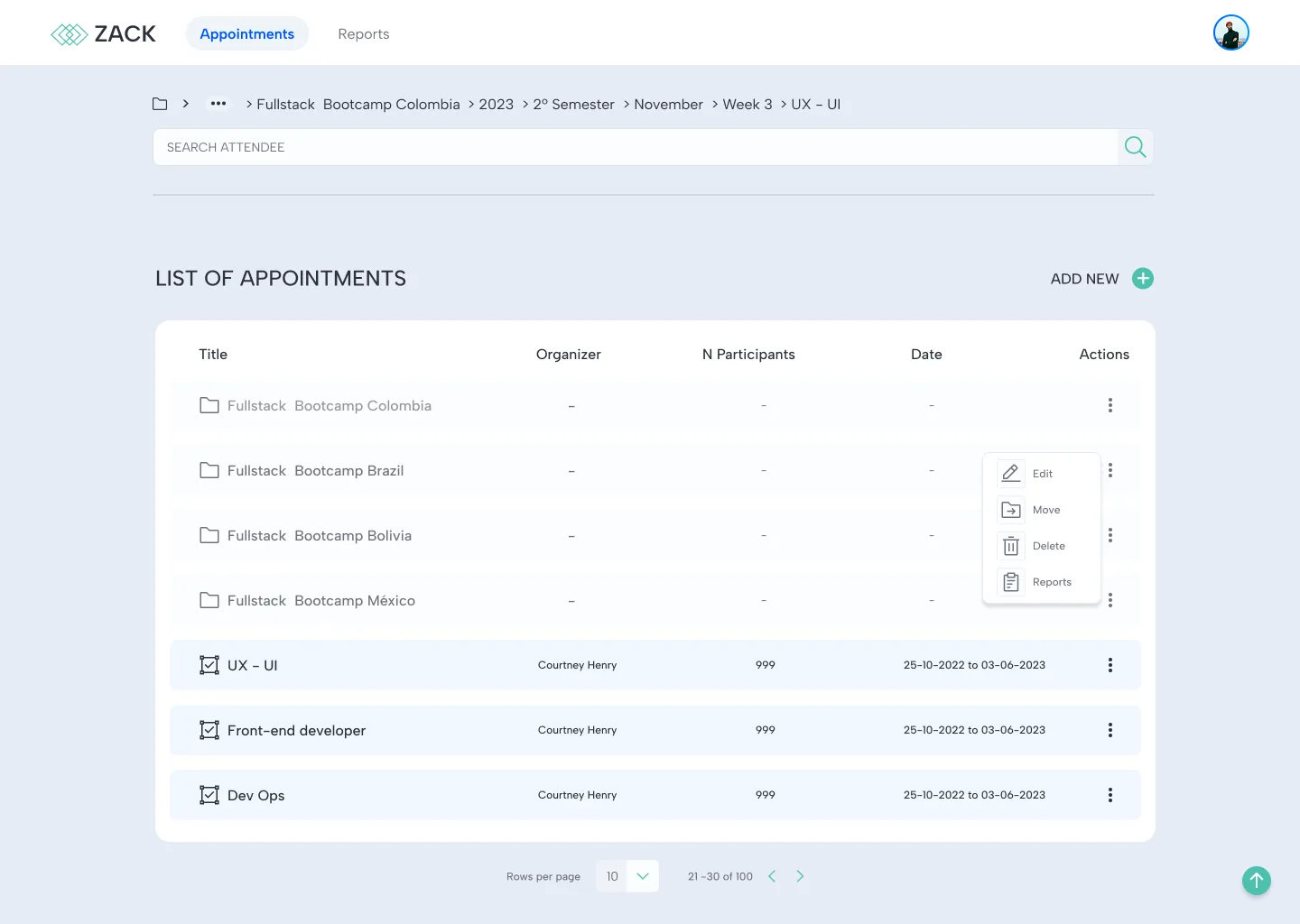
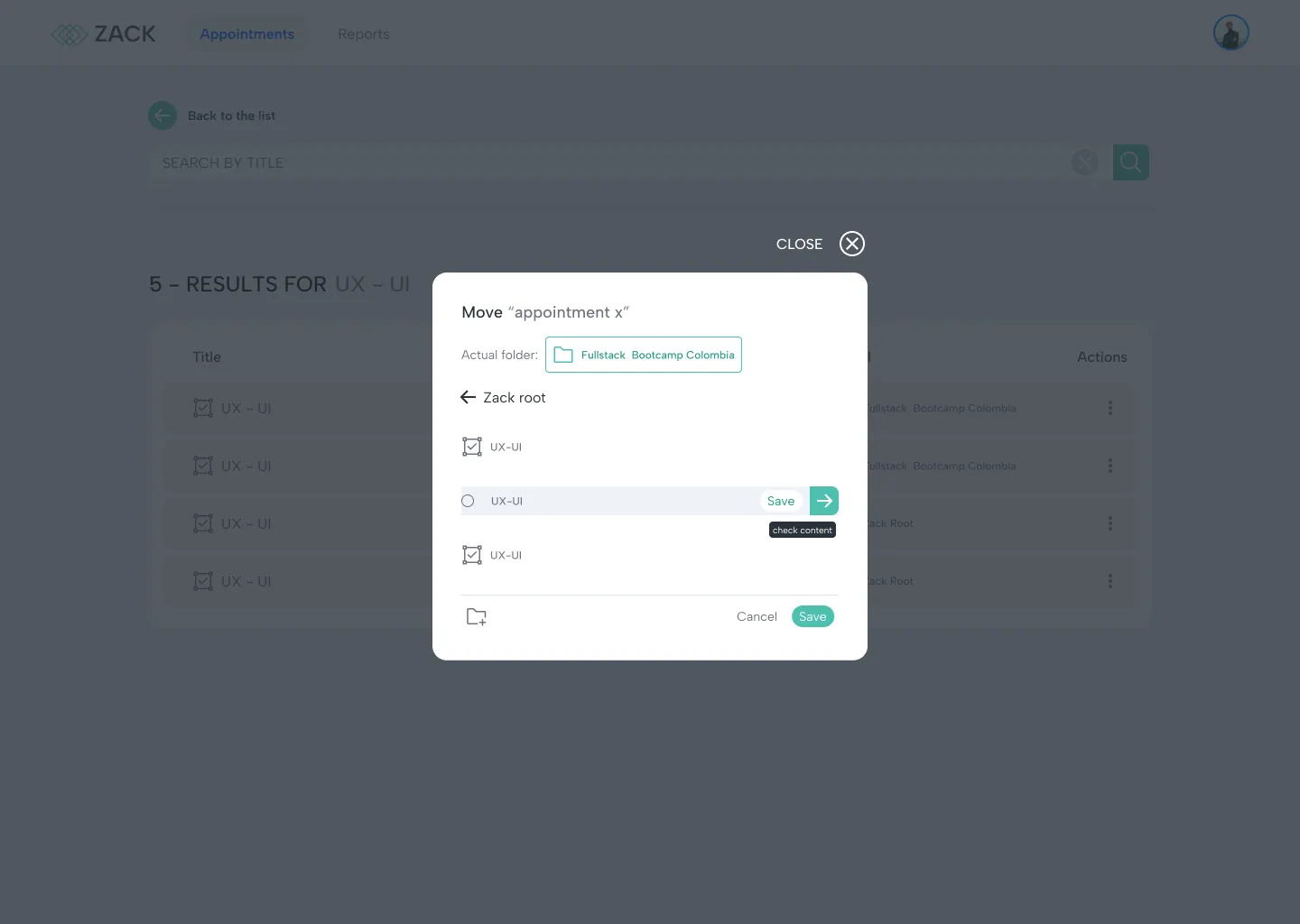
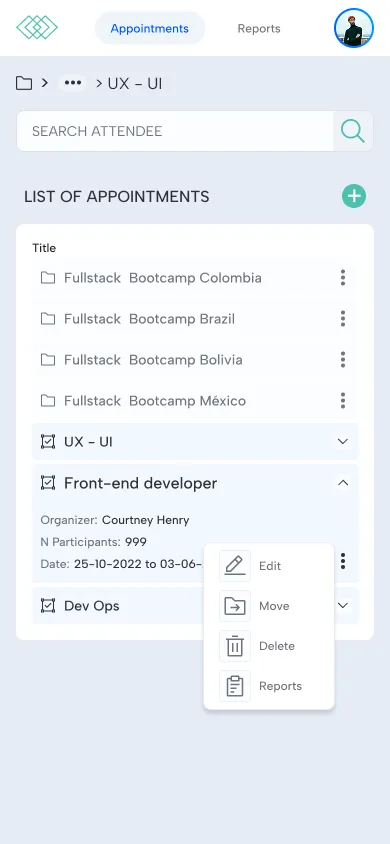
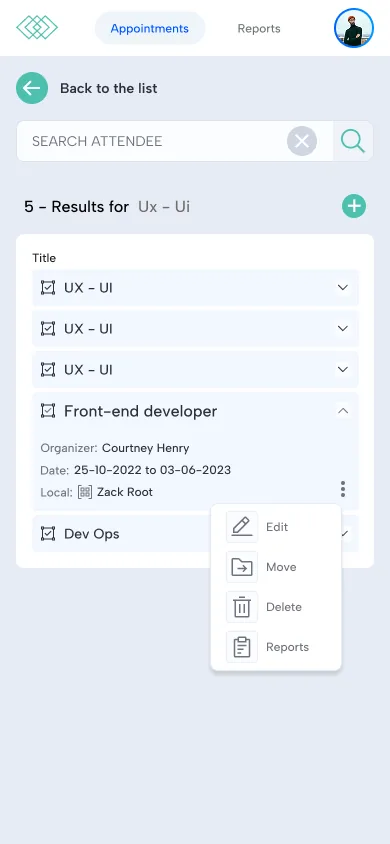
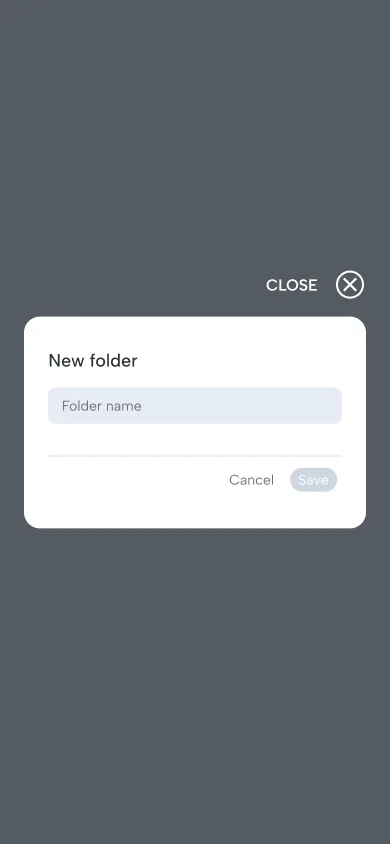
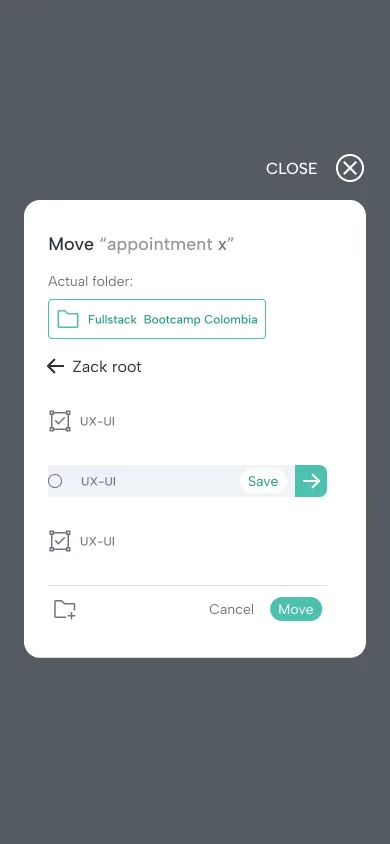
Appointments live in folders by country, year, semester, month and week, so the breadcrumb tells coordinators exactly where they are. Folders and appointments share one list, and every row has the same actions: edit, move, delete and reports.
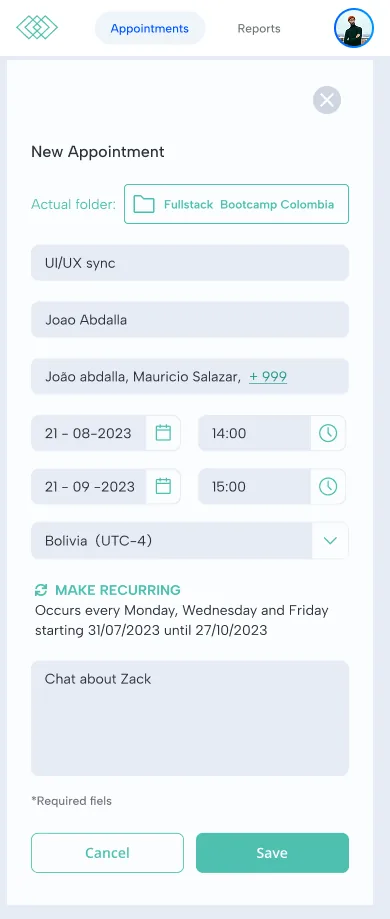
One form for a class that repeats all semester
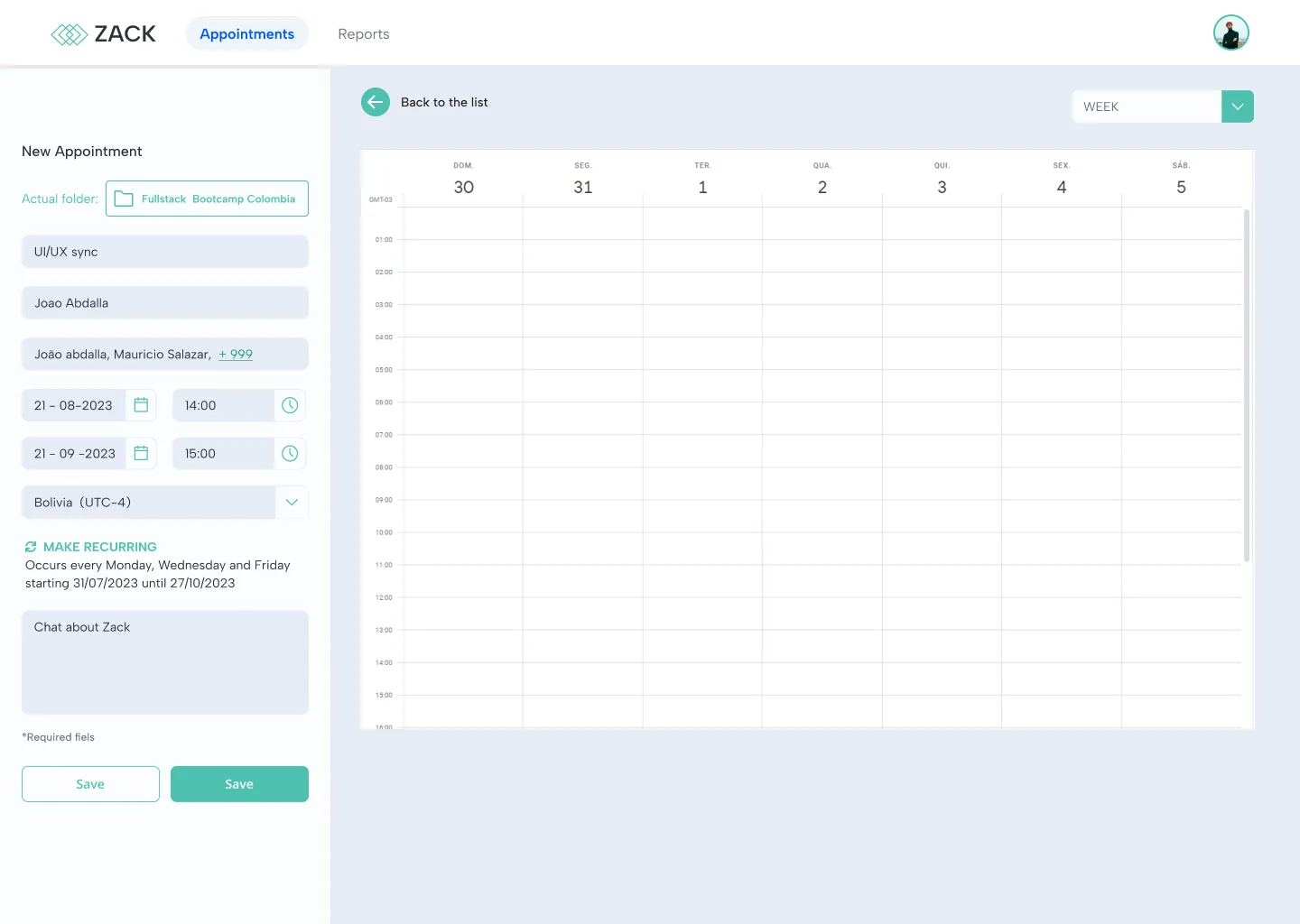
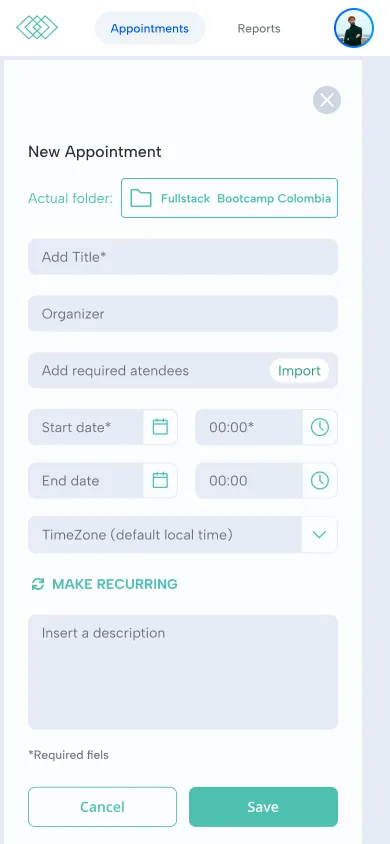
Creating an appointment keeps the calendar visible on the right, so the coordinator sees the week while filling the form. Three decisions made it work at bootcamp scale.
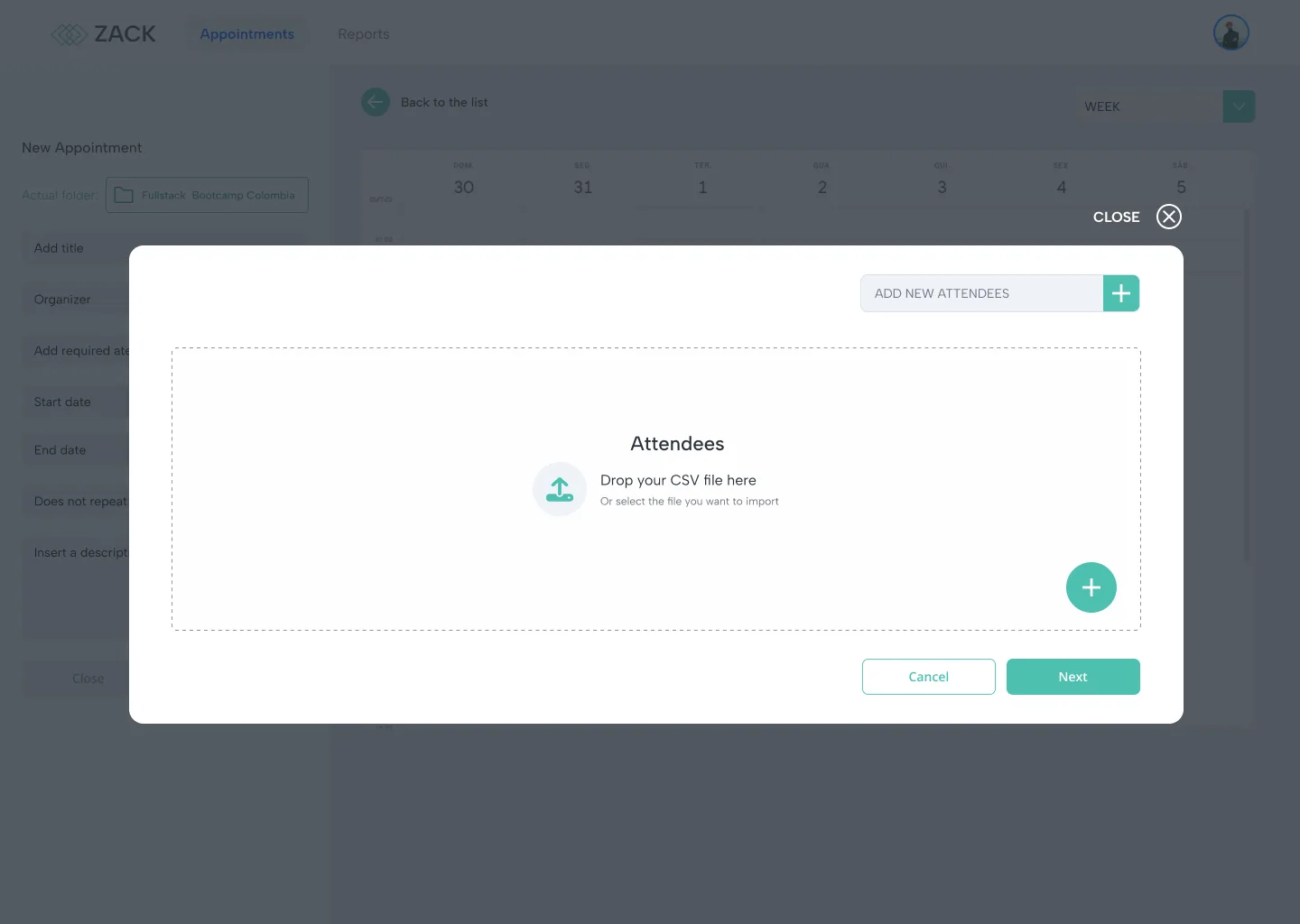
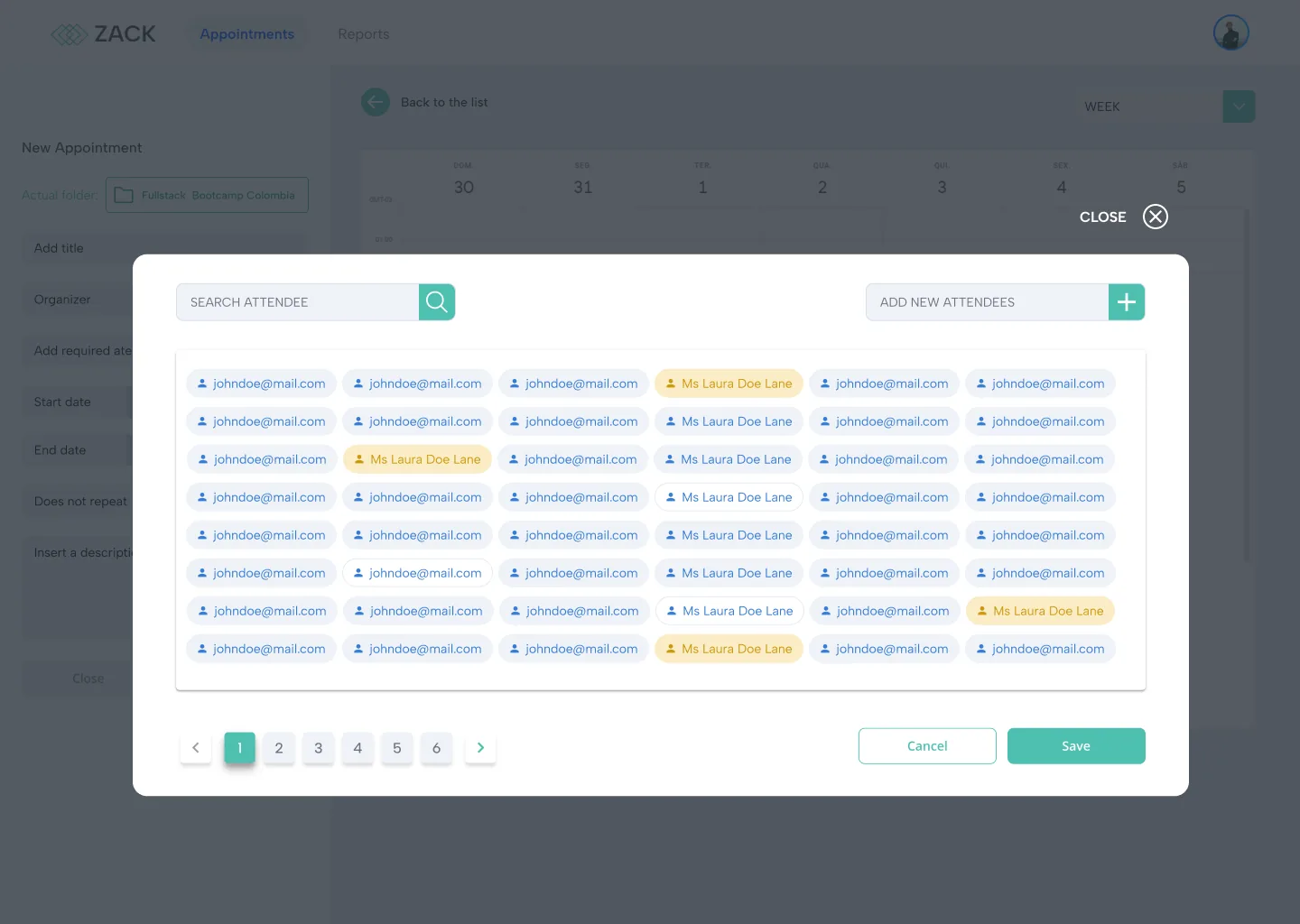
Attendees by the hundred
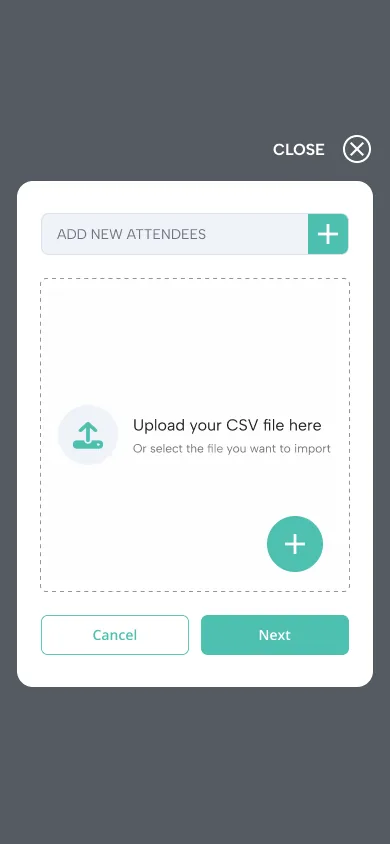
Instead of typing emails one by one, coordinators drop a CSV with the whole cohort. Each attendee becomes a chip, and invalid or unregistered emails are flagged before saving.
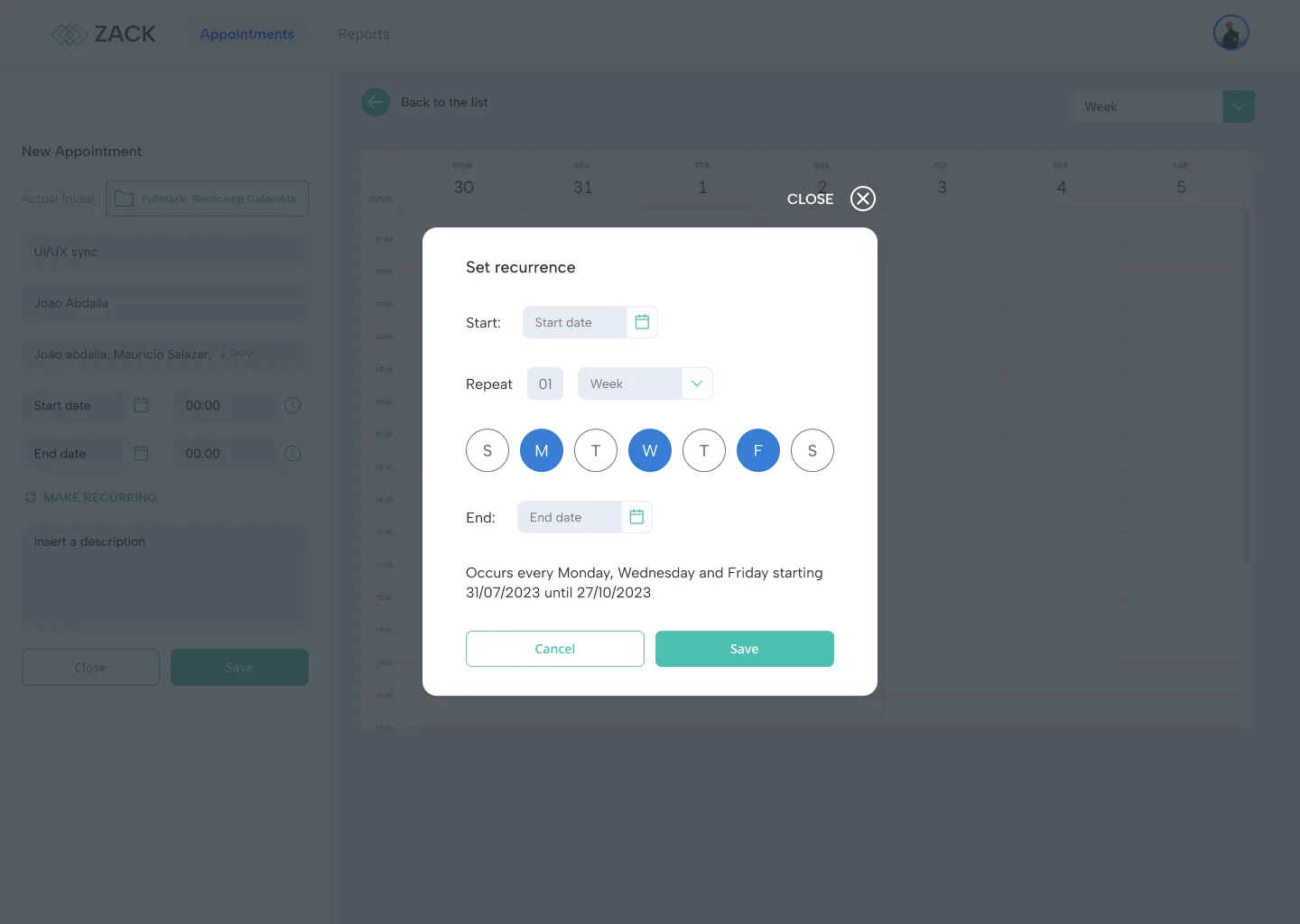
Recurrence in plain language
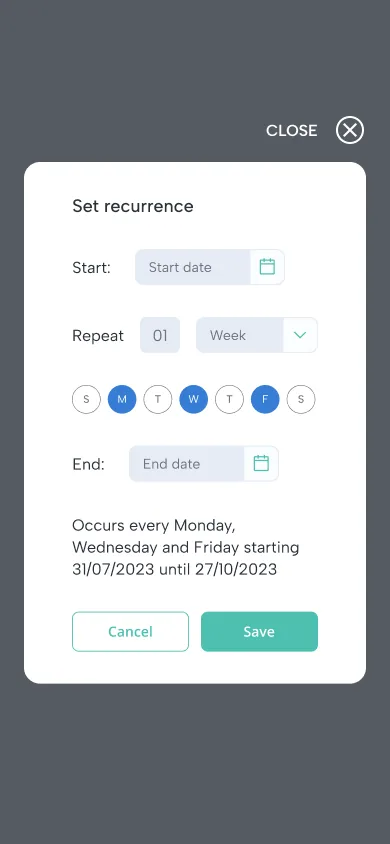
The recurrence dialog picks the days of the week and the start and end dates, then sums it up in a sentence: "Occurs every Monday, Wednesday and Friday starting 31/07/2023 until 27/10/2023". The same sentence stays on the form, so nobody has to reopen the dialog to check.
Time zones and safe exits
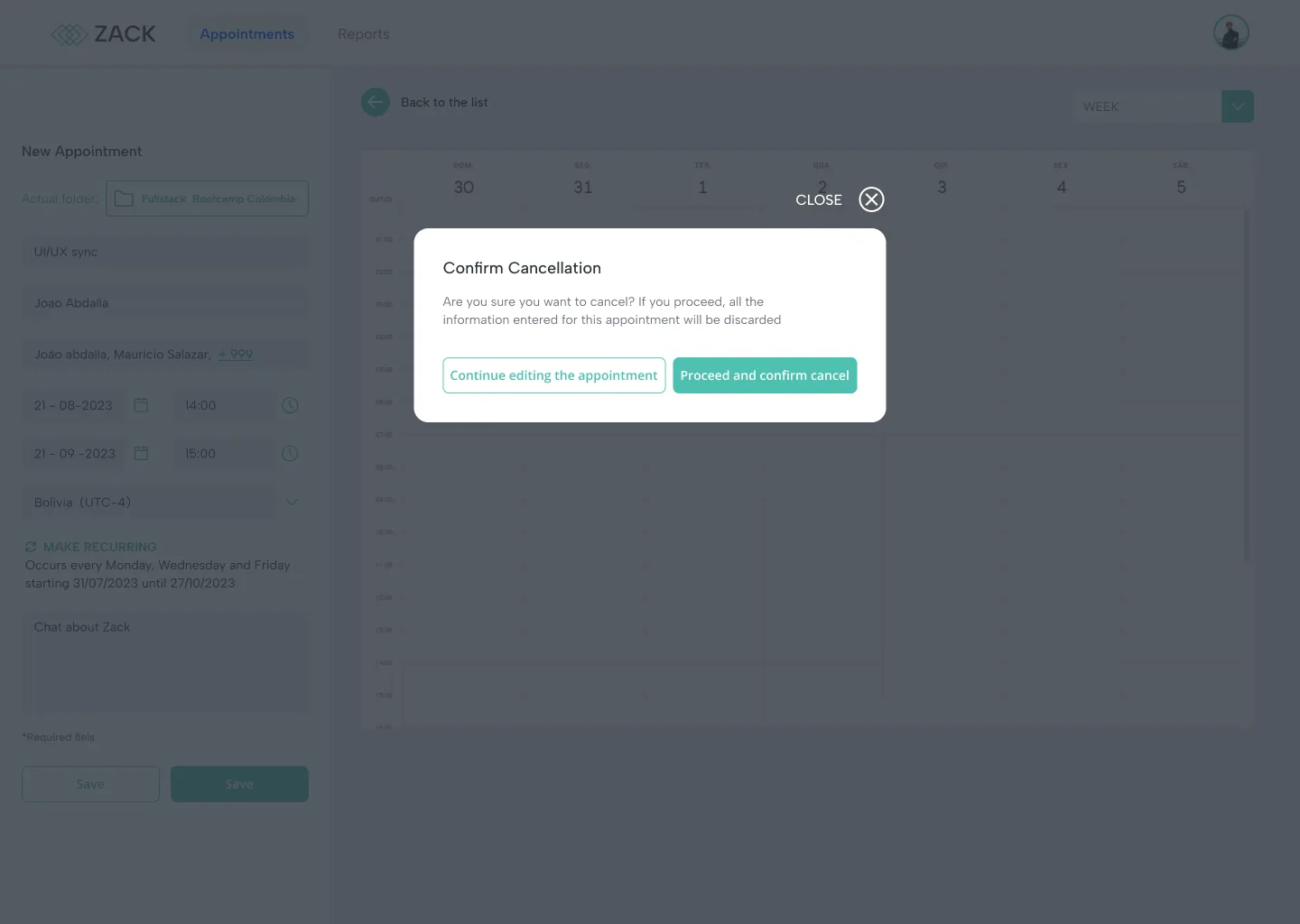
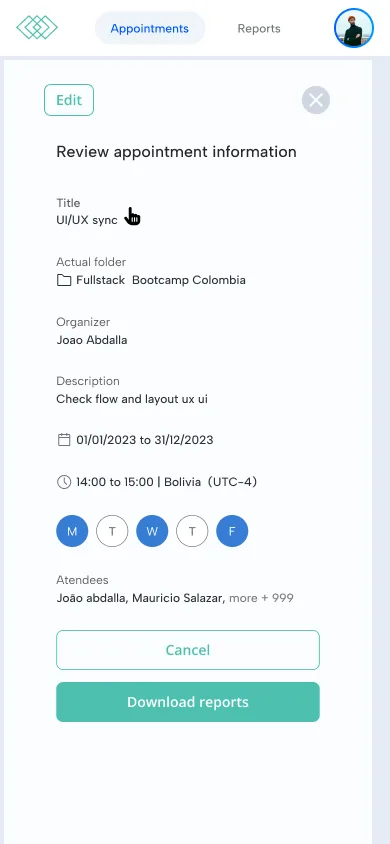
Every appointment carries its time zone, because the same class reaches four countries. Leaving a half filled form asks for confirmation, so a long setup is never lost by accident.
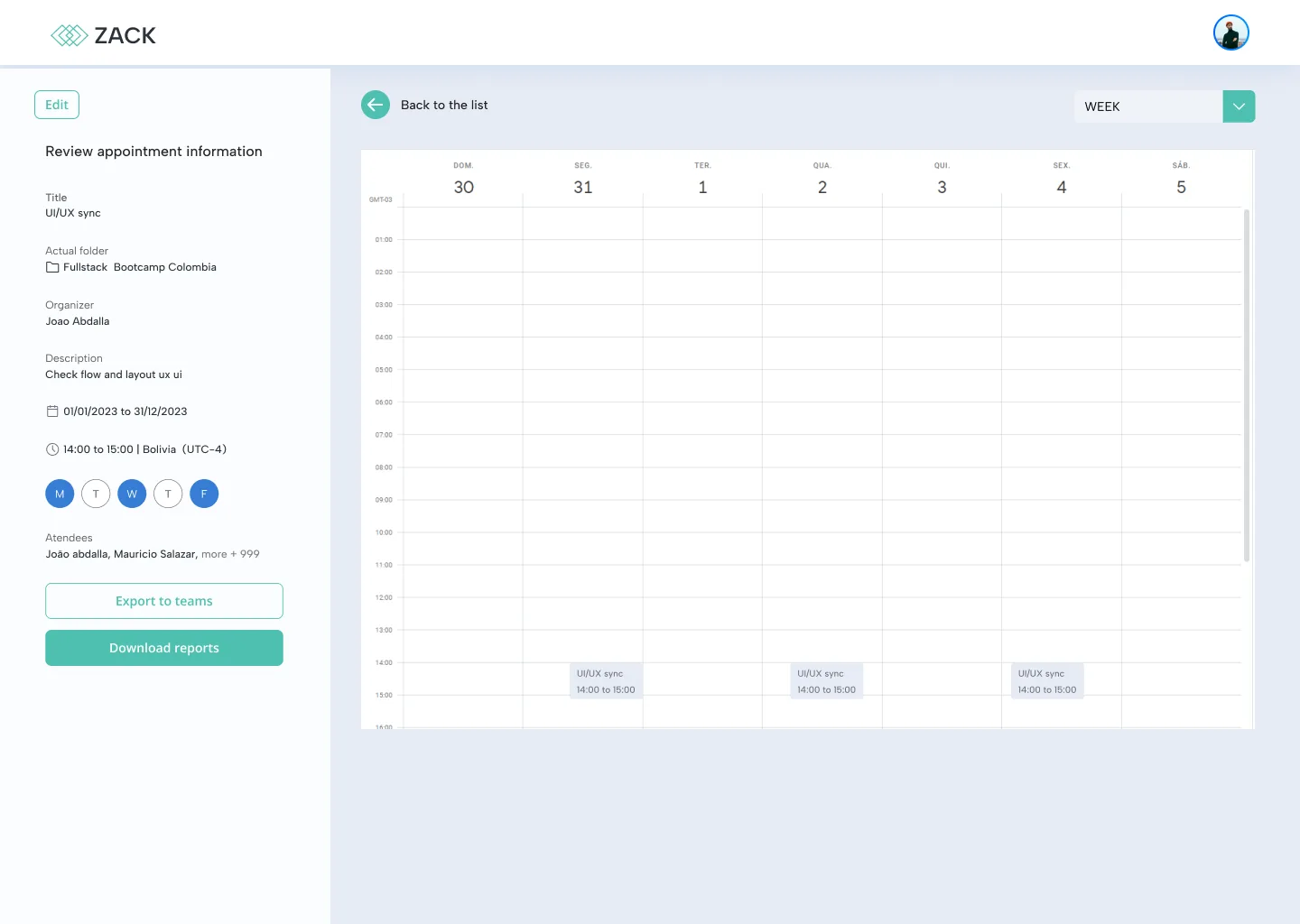
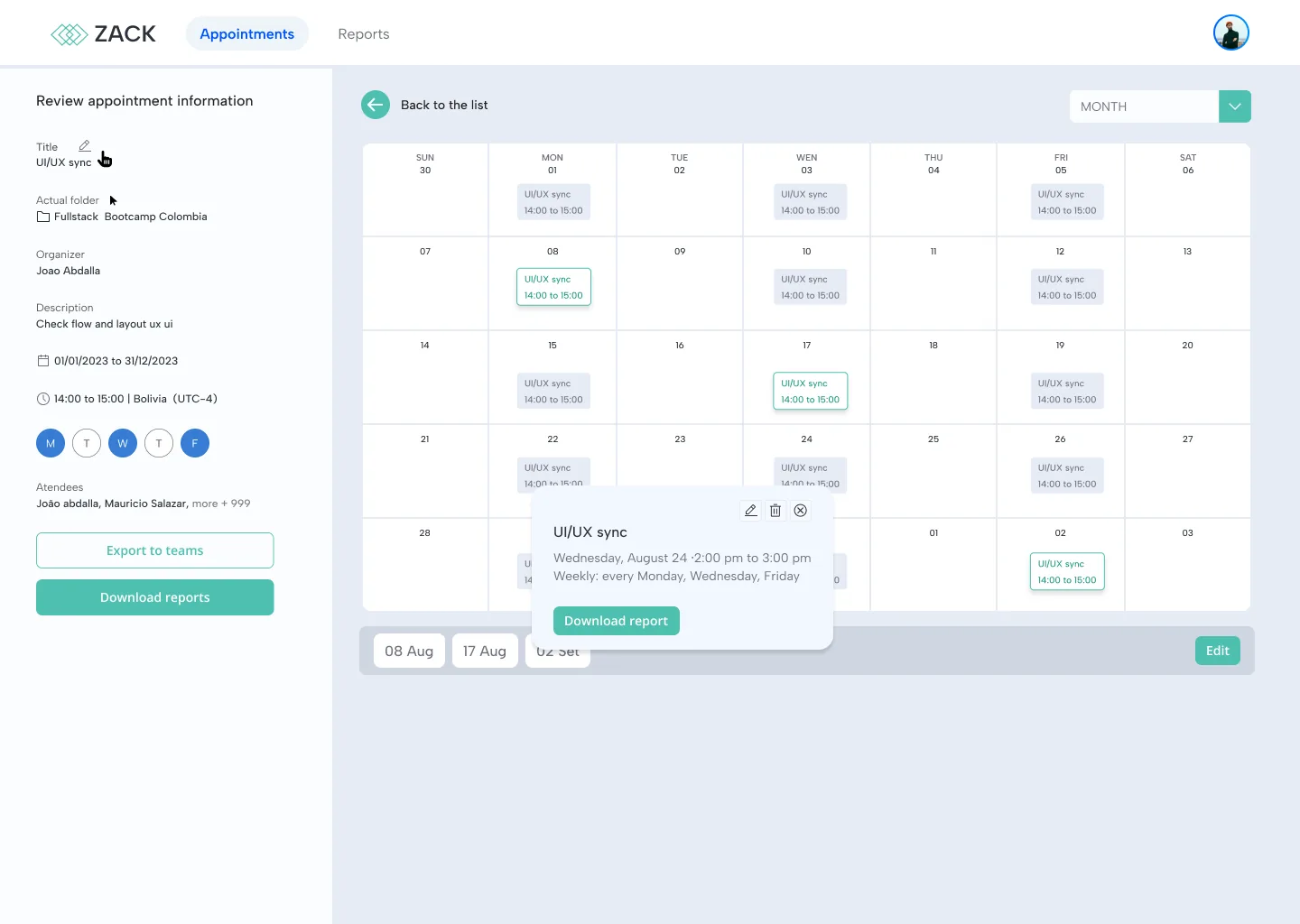
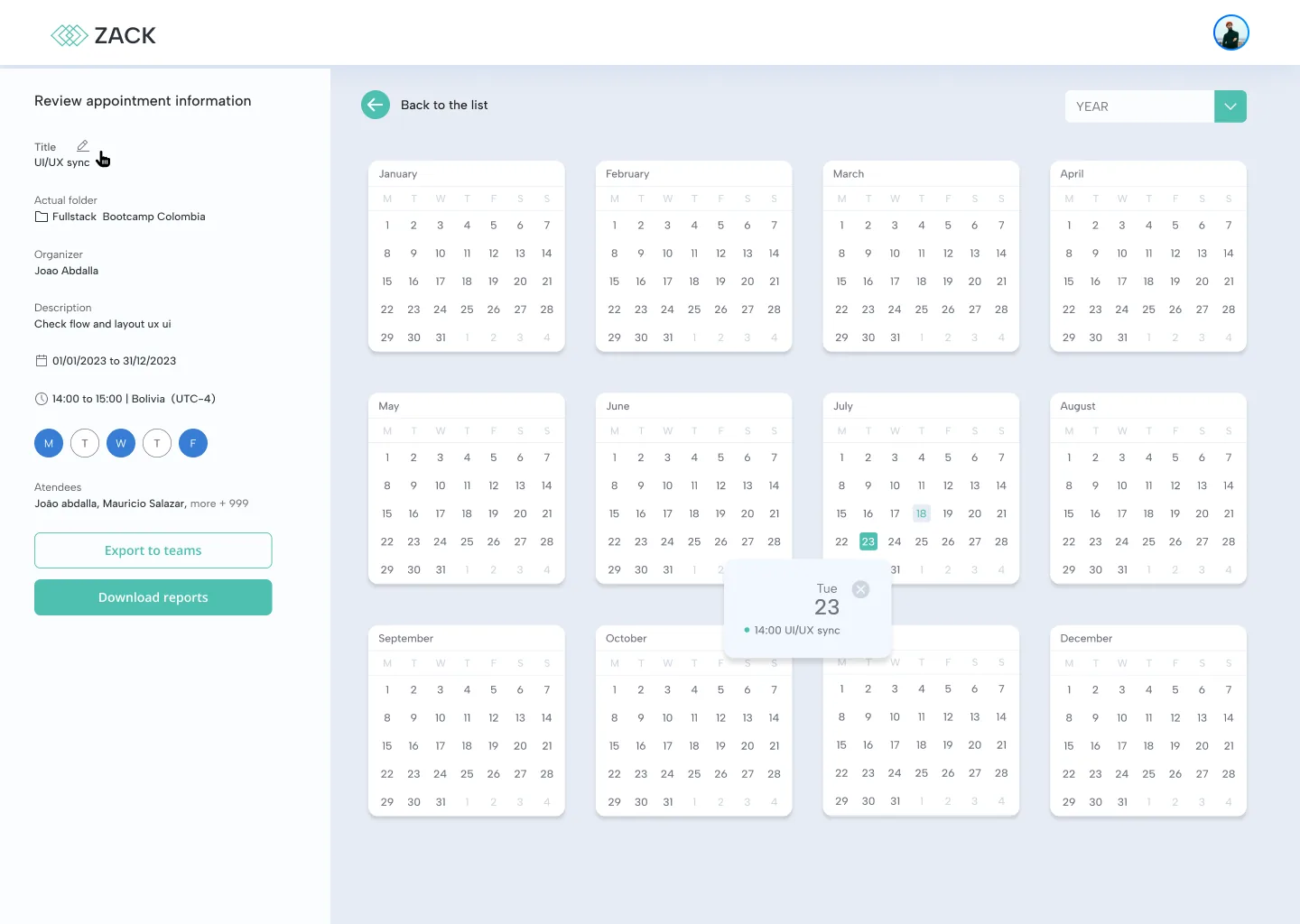
Every session, at the zoom level you need
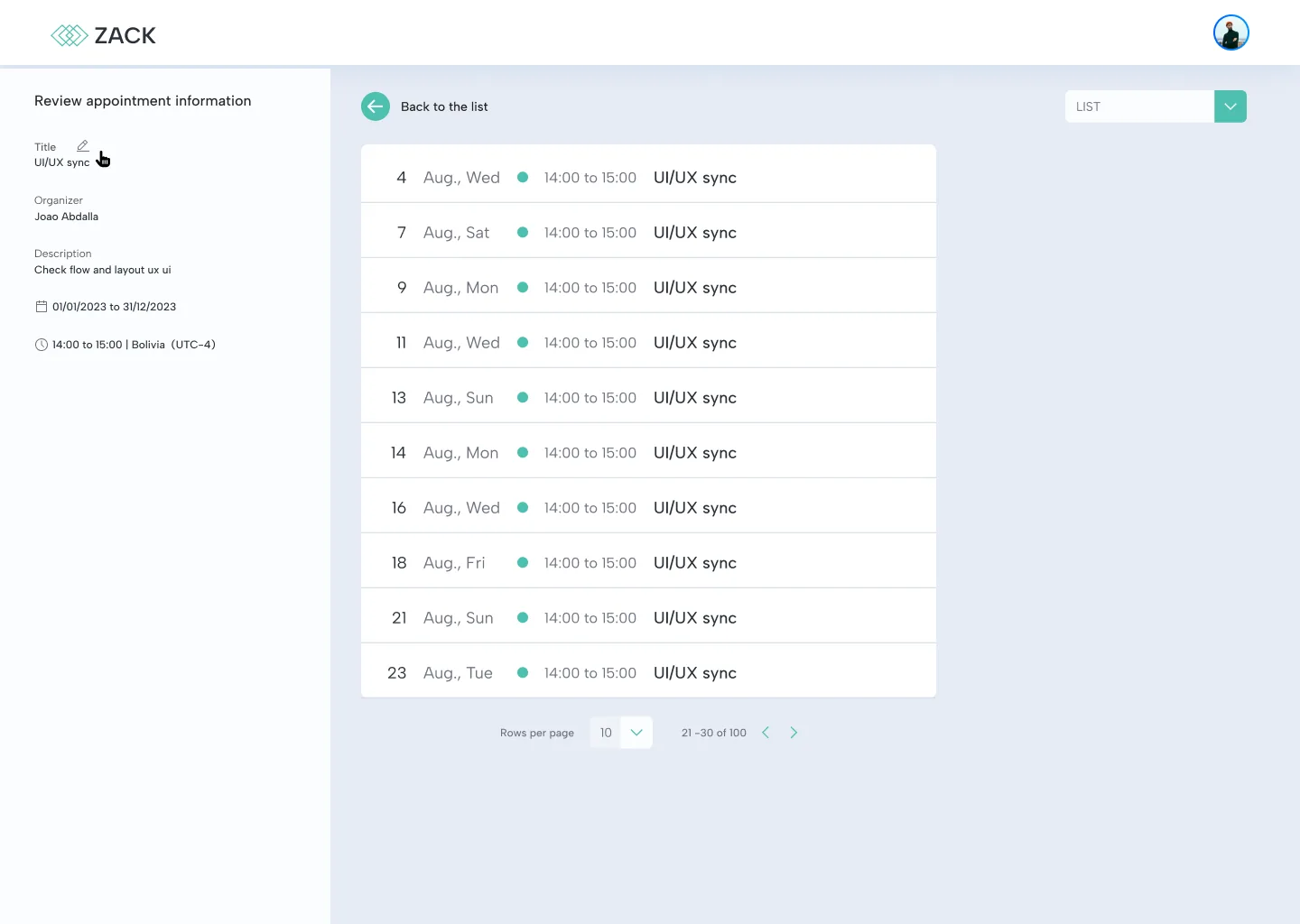
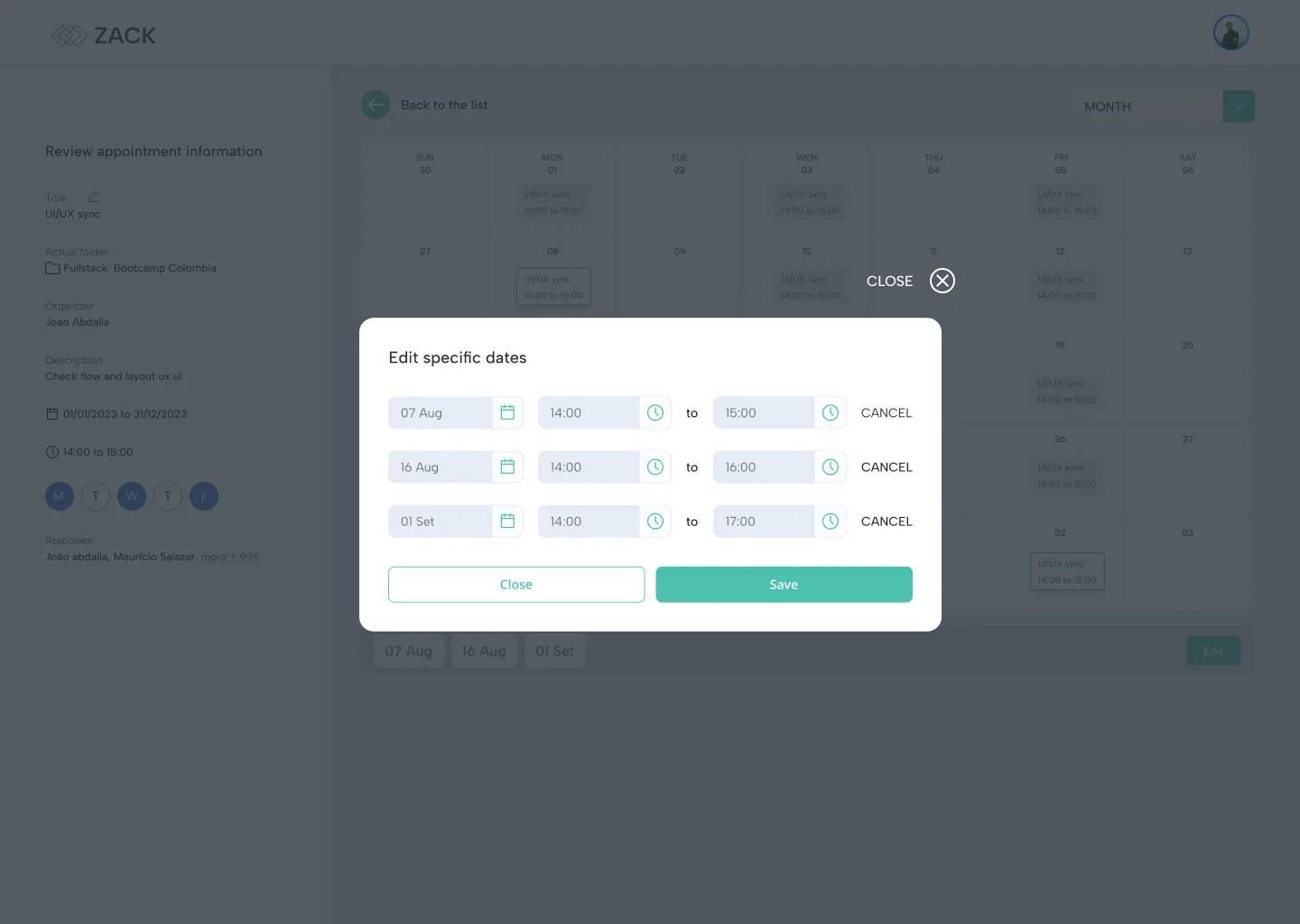
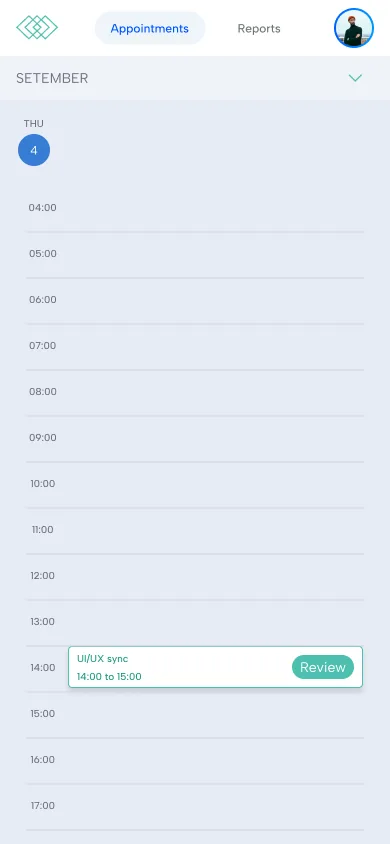
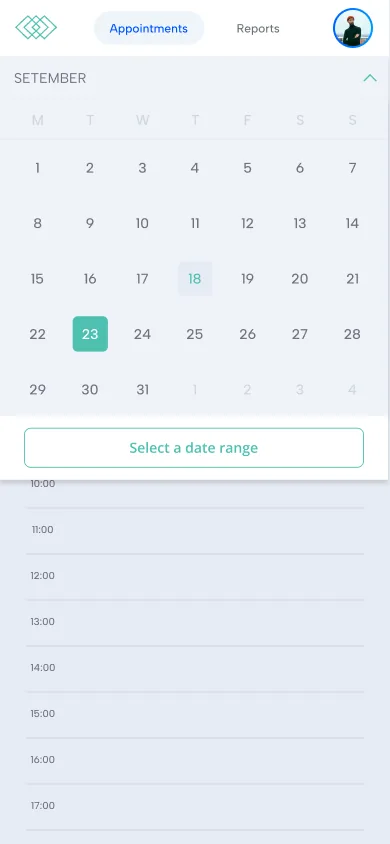
The review screen keeps the appointment details fixed on the left and lets the calendar change on the right: week, month, year or a plain list of every session. A single date can be edited without touching the whole series, and the appointment can be exported to Teams.
Attendance reports in two clicks
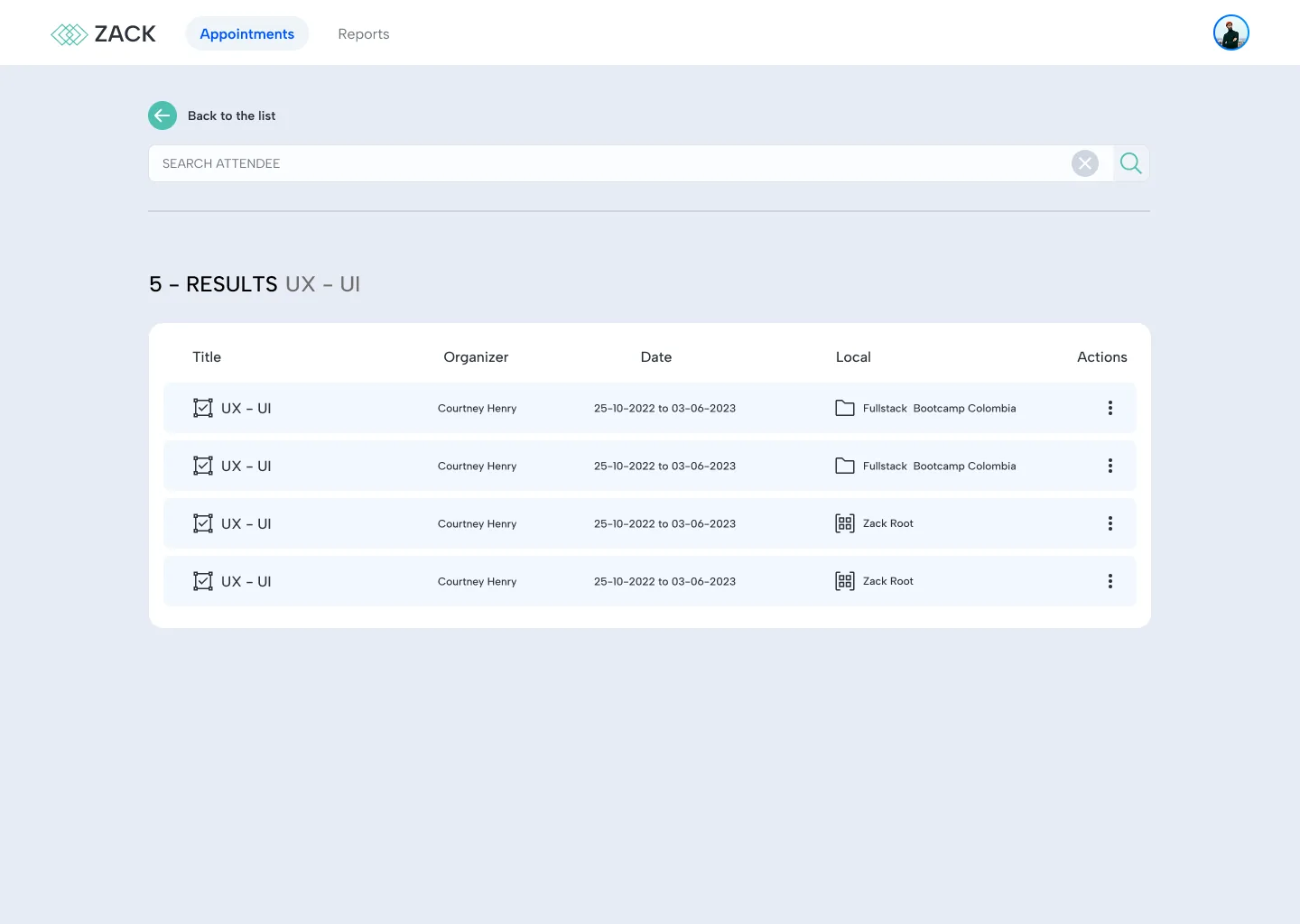
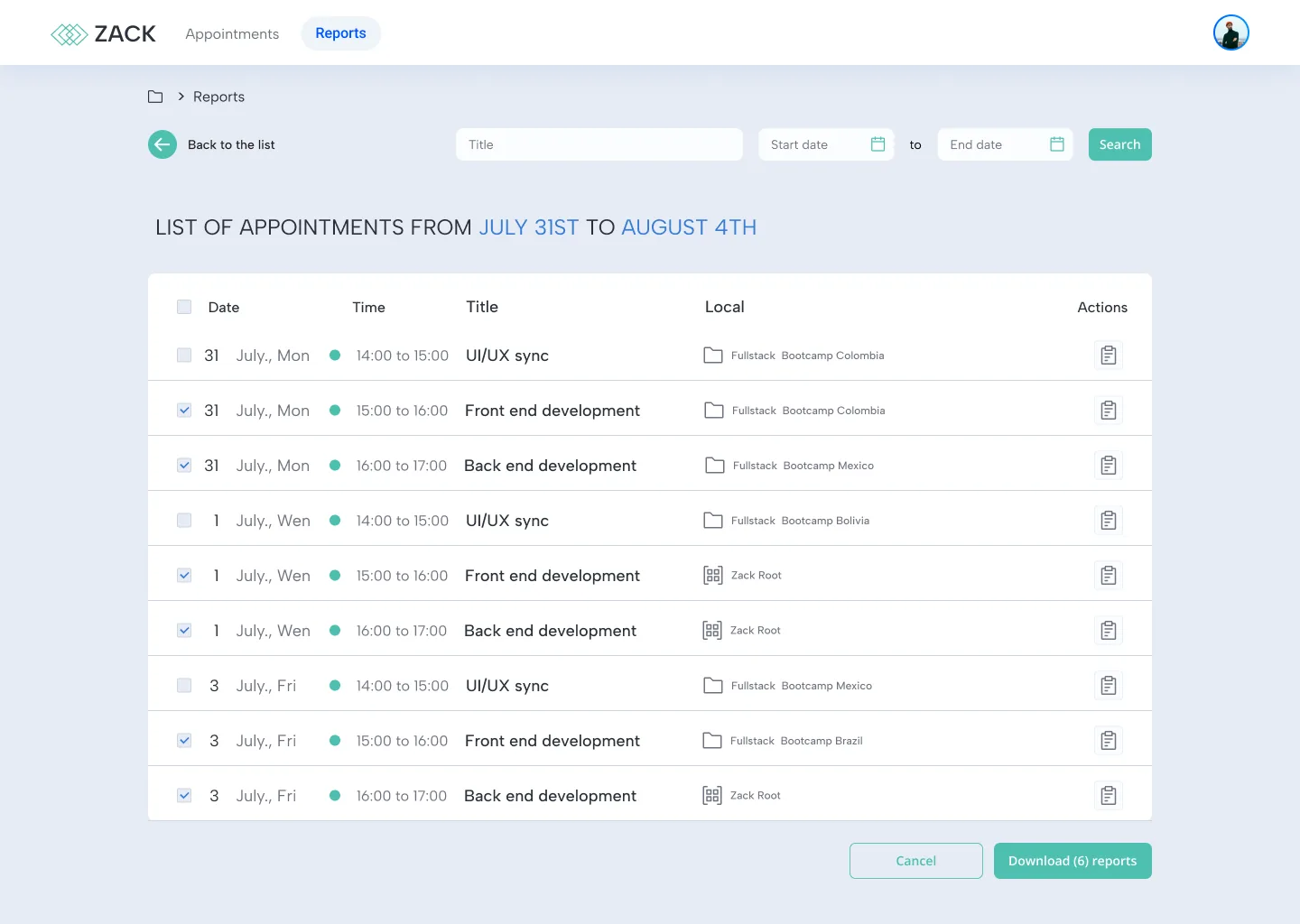
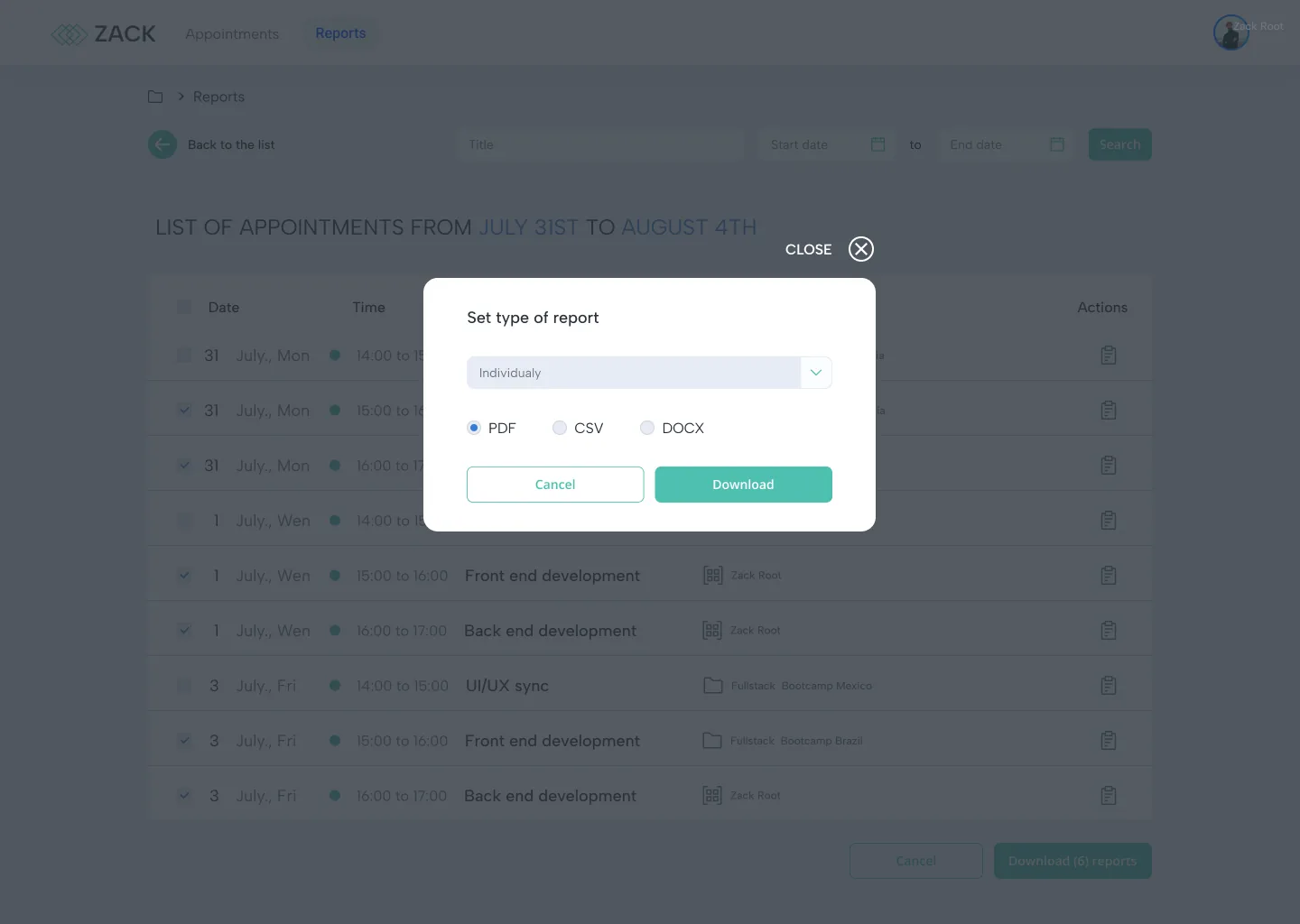
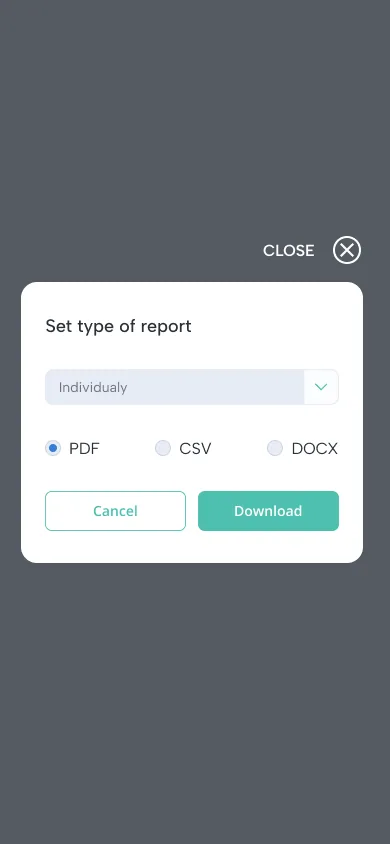
The Reports tab filters sessions by title and date range, across every bootcamp. Coordinators select the sessions they need and download them together, one report per session or a single combined file, in PDF, CSV or DOCX.
A small kit behind every screen
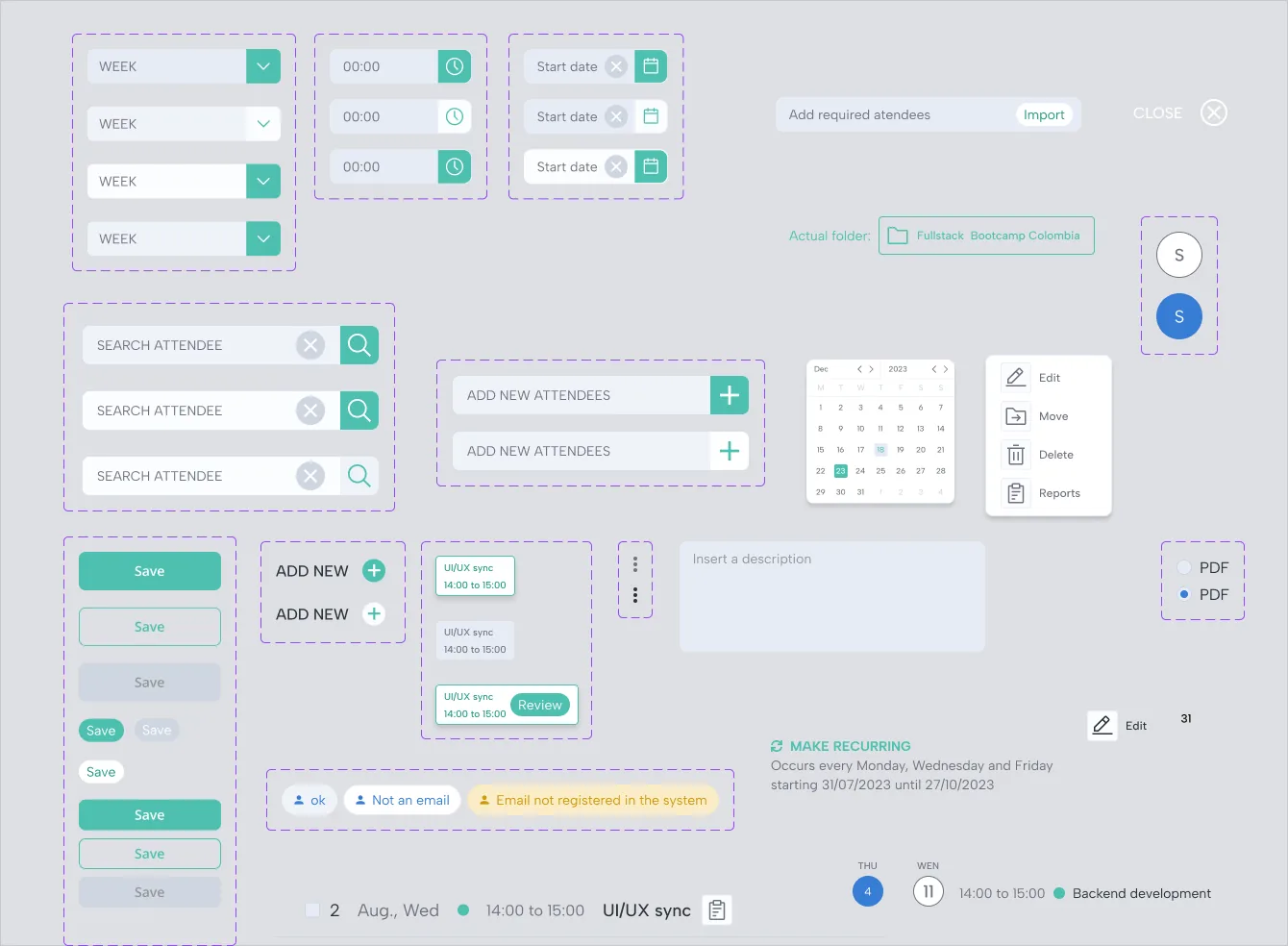
Inputs, date and time pickers, search, attendee chips, buttons, the actions menu and the session cards were built once as components, with their states documented. Desktop and mobile share the same pieces, which kept both versions consistent and made the handoff to development direct.
Zack covers the whole cycle in one tool: organize, schedule, review and report. The heavy parts of bootcamp logistics, like hundreds of attendees and classes that repeat for months, became a few clear steps.
Designing it alone, end to end, taught me to treat scale as a design problem: a CSV import and a sentence that explains a recurrence did more for coordinators than any extra screen would have.